
Before you begin
Create a business and specialist. Prepare service names, prices and durations.
A business service and a specialist’s price list are separate. A name alone is not enough: assign the service with a price and duration.
Step-by-step guide
Open business services
Go to Business, open its card and add a service in the services section.
Fill in its details
Enter a clear name and description. Add a photo and group if needed, then save.
Open the specialist’s prices
Use price management on the specialist’s card. Add a price item and select the service.
Set the price and time
Enter the price and duration in hours and minutes. For example, 1 hour 30 minutes occupies 90 minutes. Save.
Check the client view
Open the public link, select the specialist and review the service, price and duration. Configure other specialists’ prices separately.
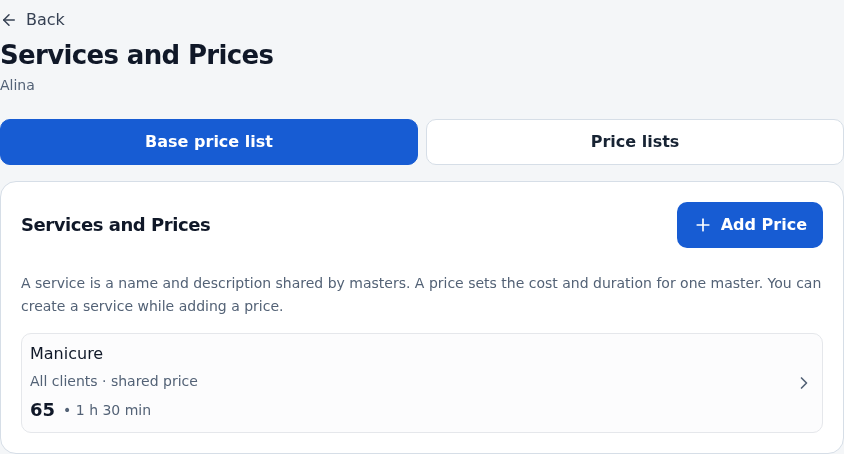
Check the result
Clients see the service under the correct specialist and available times account for its duration.
Questions and solutions
Clients cannot see the service
Check that it is in the selected specialist’s price list. Review client group restrictions if you use them.
Specialists charge different prices
Add the same service to each specialist’s price list with their individual price and duration.
I need a price starting on a future date
Price management includes price lists. Check the effective date and client view before publishing. Avoid changing the base price when you only need a future list.
A free hour is not enough
The full duration needs an uninterrupted slot. A break or another appointment inside it makes the time unavailable.